Collate

A fast, lightweight git diff viewer for Mac

See every change.
Commit with confidence.

Review, stage and commit without leaving the diff.

Download for macOS
Read the source on GitHub

Version 1.5.0 - Free and open source - macOS 13 or newer - Universal
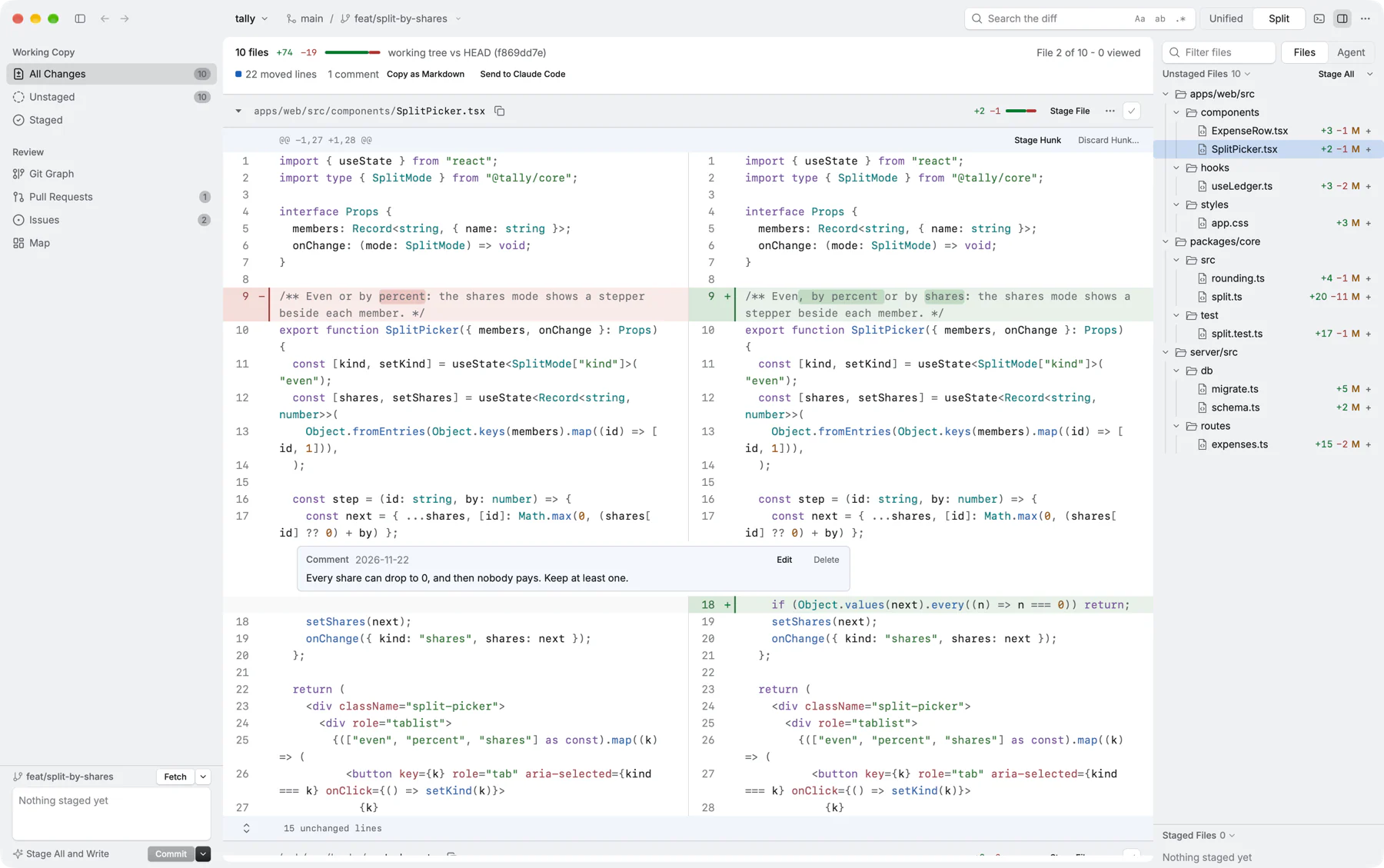
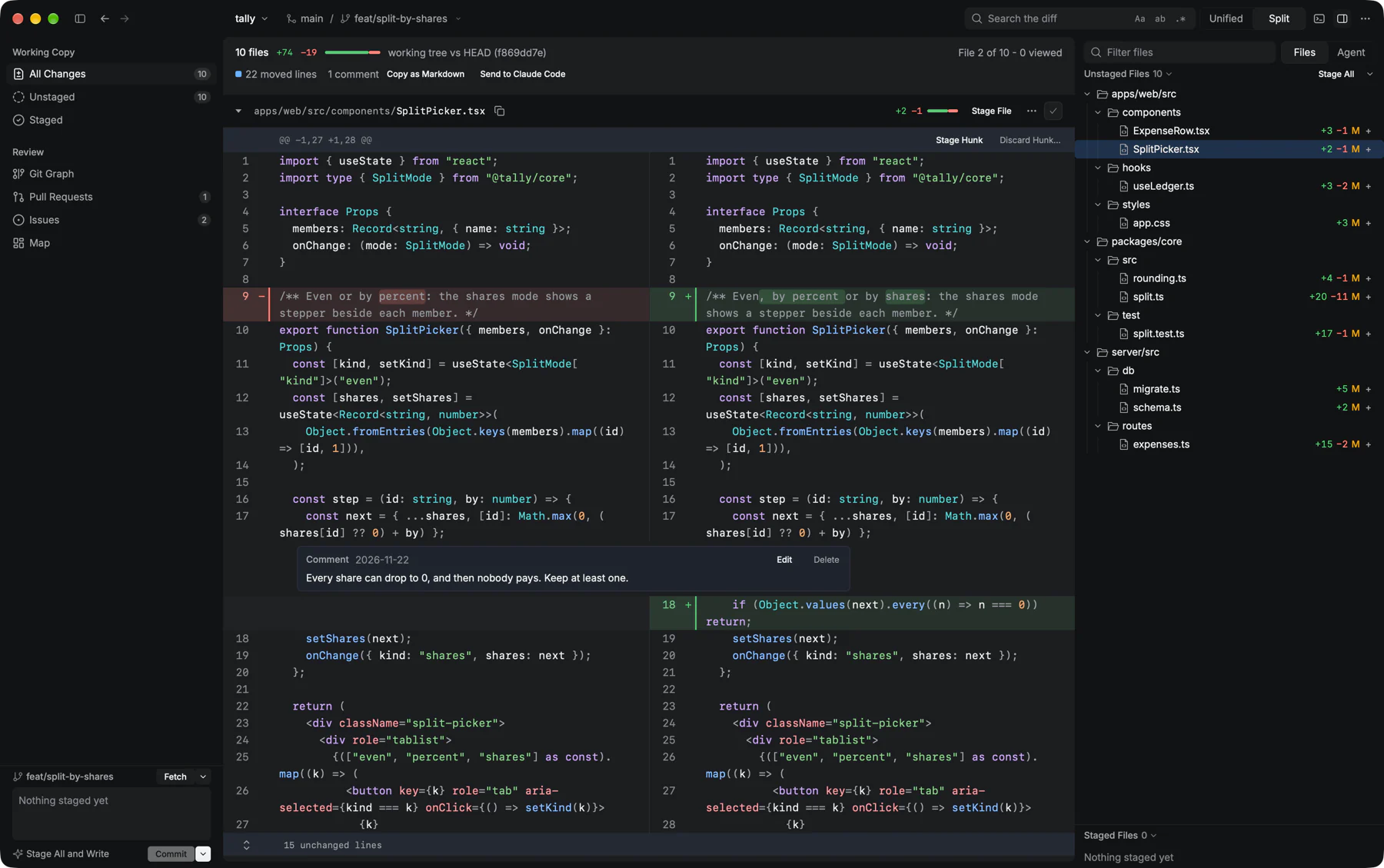
Collate showing a split diff of SplitPicker.tsx, with changed words marked, a review comment under line 17, and the changed files listed on the rightCollate showing a split diff of SplitPicker.tsx, with changed words marked, a review comment under line 17, and the changed files listed on the right
76msTo open a review of 416 changed files.
12msTo refresh that review after a file changes.
9.2msPer scroll frame, 99 times in 100, through 95,280 lines.
Measured on an Apple M5 Pro with the next release. See all the numbers ↓

Review, stage and commit.
Without leaving the diff.

Everything a review needs, a keystroke away.

− let n = 10_000;x discard
+ let n = 2_000;a stage

Stage a hunk, a line or a word

Pick exactly what goes into the commit, down to a single word change. Discard the rest, then commit with ⌘↩. ⌘Z undoes the last commit.

jka⌘↩
next - previous - stage - commit

Made for the keyboard

Every command has a key and a menu item. ⇧⌘P finds any of them by name; ? lists them all.

⇡ fn settle(group)
…
⇣ fn settle(group)
press m to jump to the other end

Moves shown as moves

Code that moved gets its own colour instead of reading as a removal and an addition.

Ours 1
timeout = 30
Theirs 2
timeout = 45
Both 3
timeout = 45

A merge editor for git mergetool

Step through conflicts with n and p, and take ours, theirs or both with 1, 2 and 3. Collate can be your difftool too.

Split or unified

Switch with s. Wrap long lines with w, hide whitespace with W.

Search with regex

⌘F searches the diff, the map and history, by case, whole word or pattern.

Inline blame

Press b to see who last changed each line, beside the line numbers.

A terminal built in

⌘J opens a terminal drawer under the diff, in the repository you're reviewing.

Fast on big changes,
not just small ones.

Built in Rust and drawn on the GPU with Metal. Here is how long Collate takes on four real repositories with a lot changed.

A large review

416 files, 95,280 changed lines

Opens in76 ms
Refreshes in12 ms
Scroll frame, p999.2 ms

Linux v6.12

323 files, 39,407 changed lines

Opens in76 ms
Refreshes in35 ms
Scroll frame, p9910.3 ms

Kubernetes v1.31

298 files, 26,926 changed lines

Opens in55 ms
Refreshes in29 ms
Scroll frame, p999.5 ms

One huge file

A 400,000-line file edited every 50 lines, plus a new one

Opens in122 ms
Refreshes in54 ms
Scroll frame, p998.4 ms

Medians of 7 runs on an Apple M5 Pro, November 2026, with the build going into the next release. Refresh includes git status, which takes most of the time on the Linux and Kubernetes trees. p99 means 99 frames in 100 are this fast or faster, with every file unfolded. Run the same benchmarks with scripts/bench-set.py.

Draws only what you see

Diff rows are virtual and memoised. A row is built again only when what it shows changes.

Rediffs only what changed

After one edit in a 416-file review, Collate does about 6 ms of work. Files that didn't change are skipped.

Never blocks your input

git and diffing run on a background thread, so scrolling and typing never wait for them.

Light on memory

390 changed files fit in 5.5 MB. The terminal keeps 2,000 lines, and a hidden idle shell ends after 30 minutes.

Agent

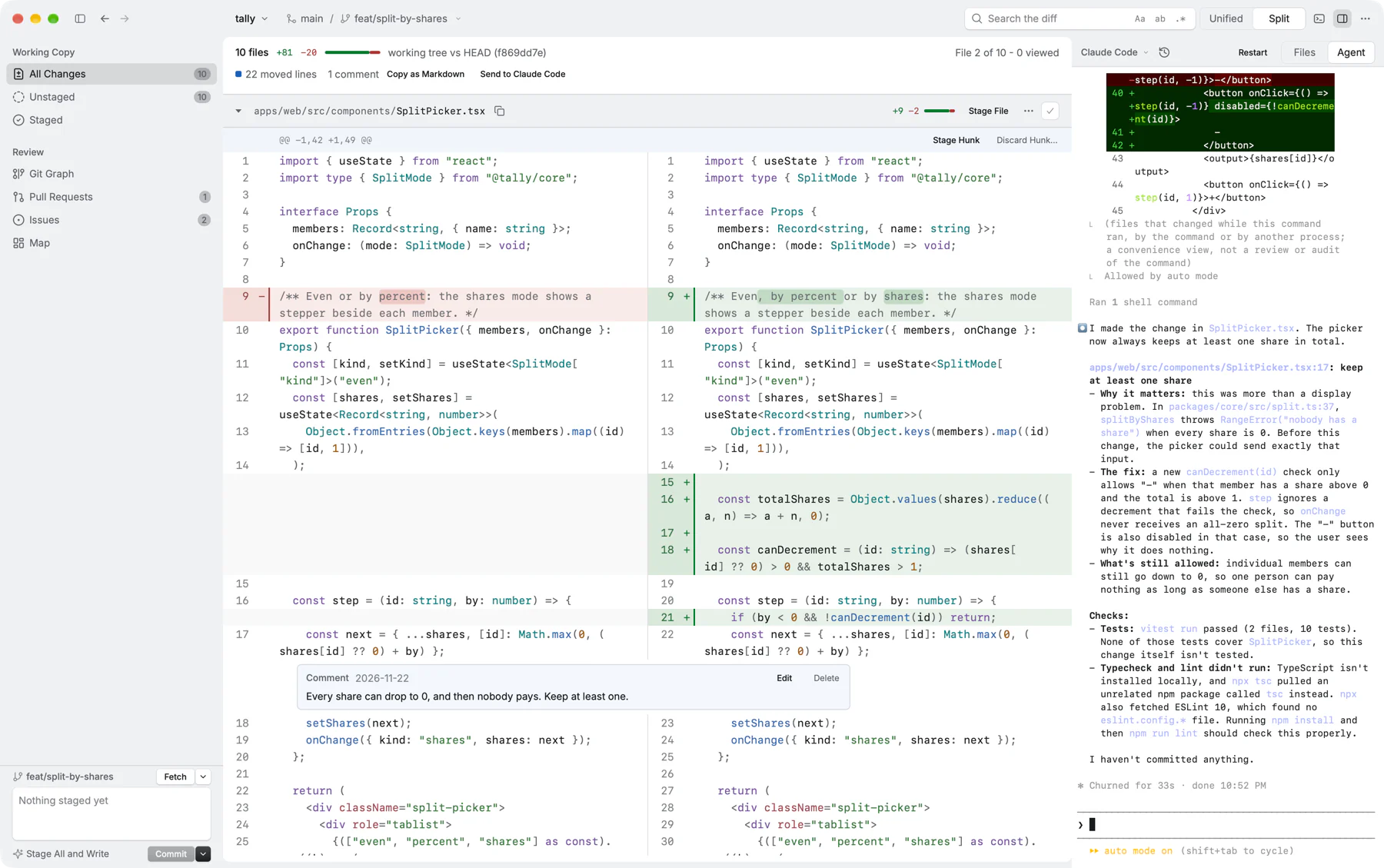
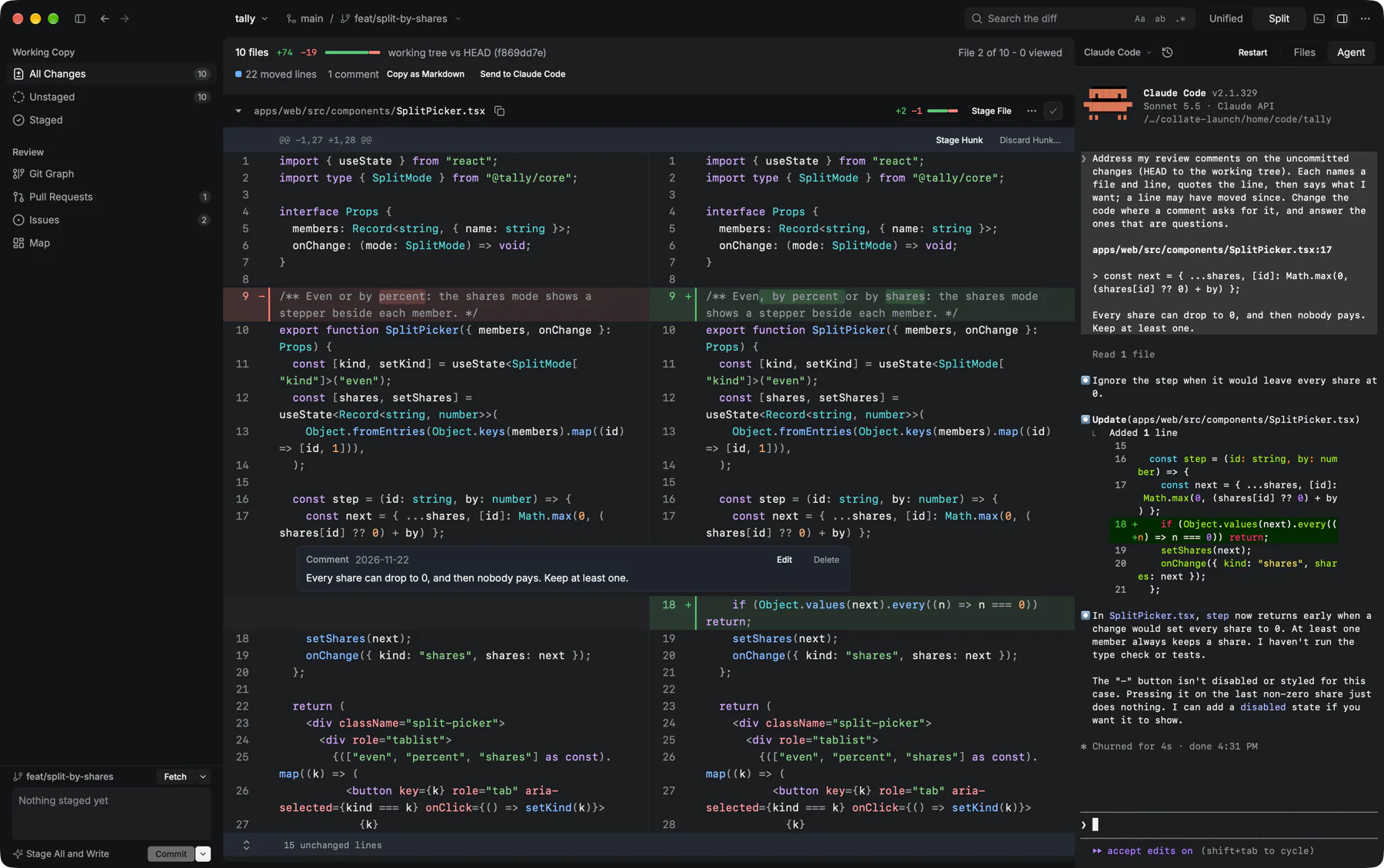
Hand your review to your agent.

Leave comments on the lines, then send them to Claude Code in the Agent pane beside the diff. Press i to ask about the selected lines.

Collate's Agent pane running Claude Code beside the diff, answering a review comment by changing the codeCollate's Agent pane running Claude Code beside the diff, answering a review comment by changing the code

Git Graph

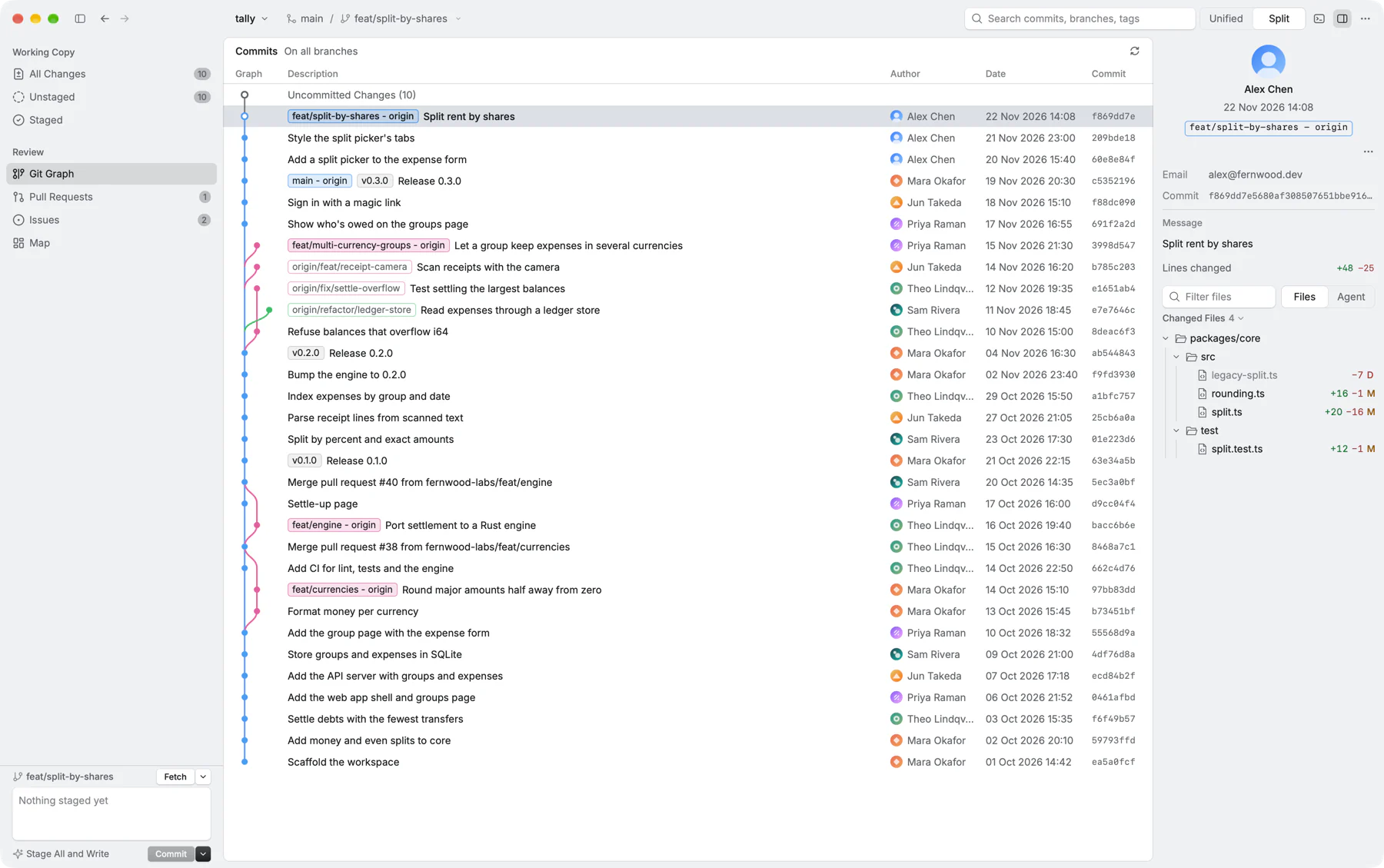
Every branch, at a glance.

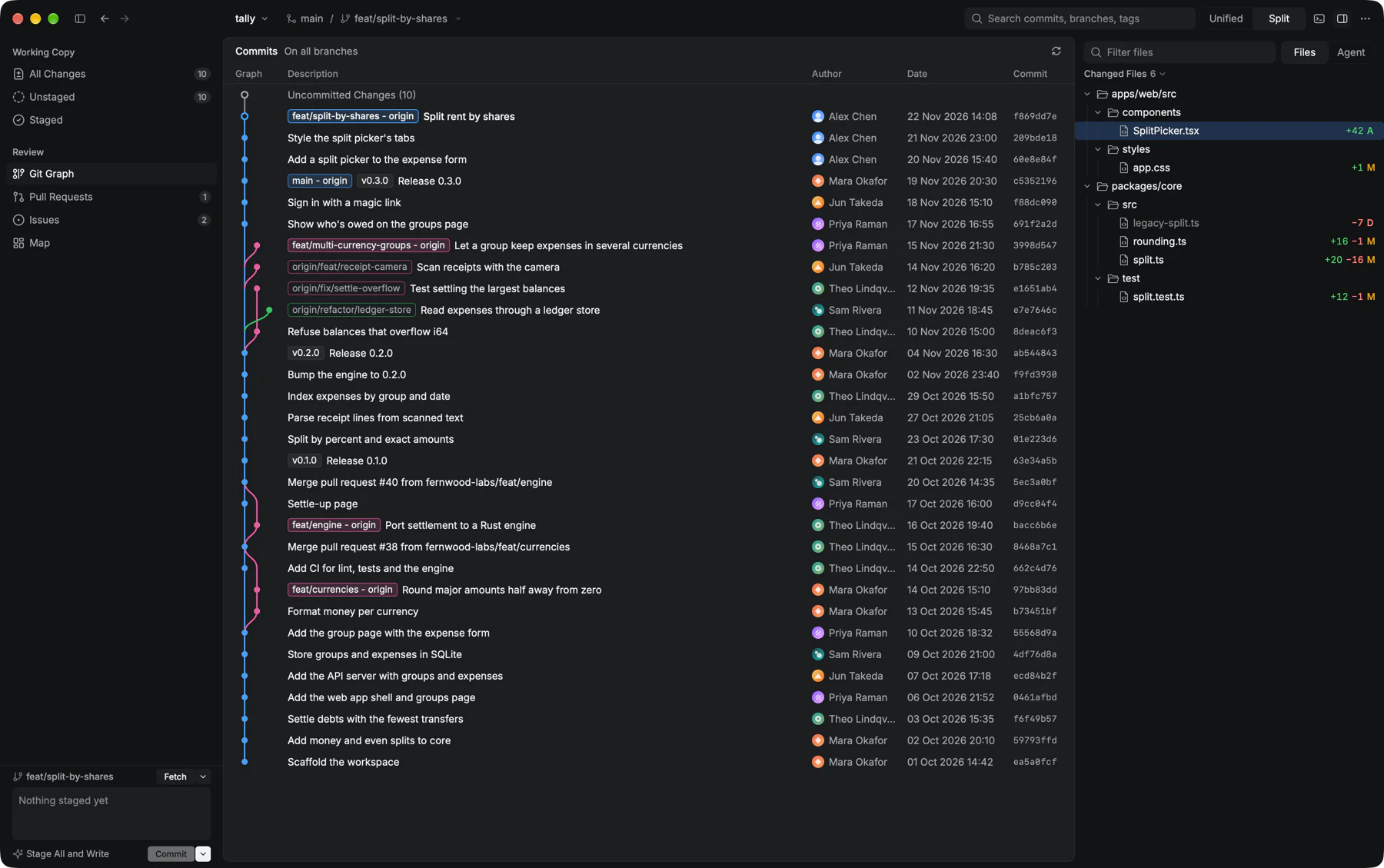
Walk the history of every branch with its authors and tags. Press ↩ to open a commit's diff, and < or > to step through them.

Collate's Git Graph listing commits on all branches with authors, dates and branch labelsCollate's Git Graph listing commits on all branches with authors, dates and branch labels

Pull requests

Review pull requests without a browser.

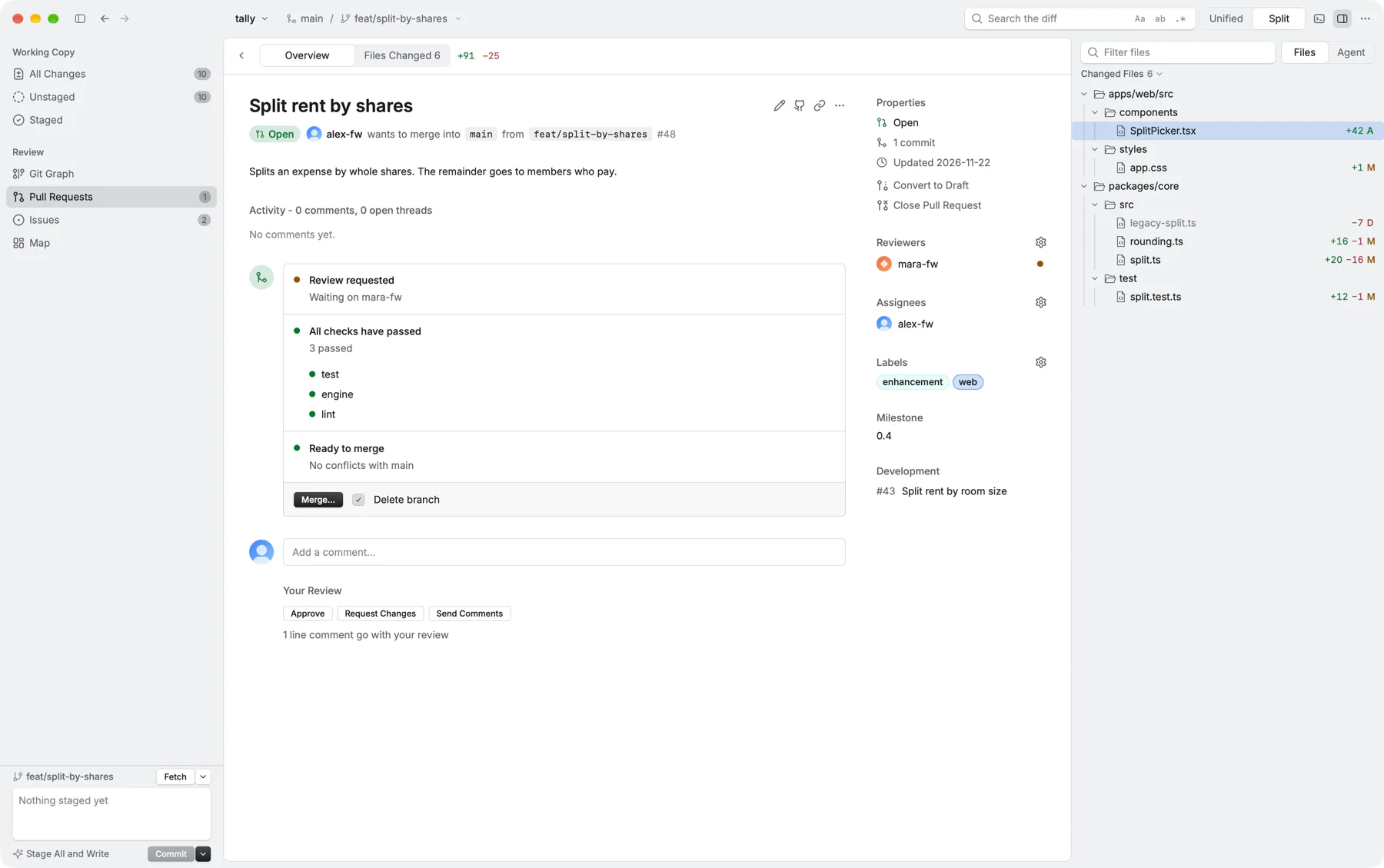
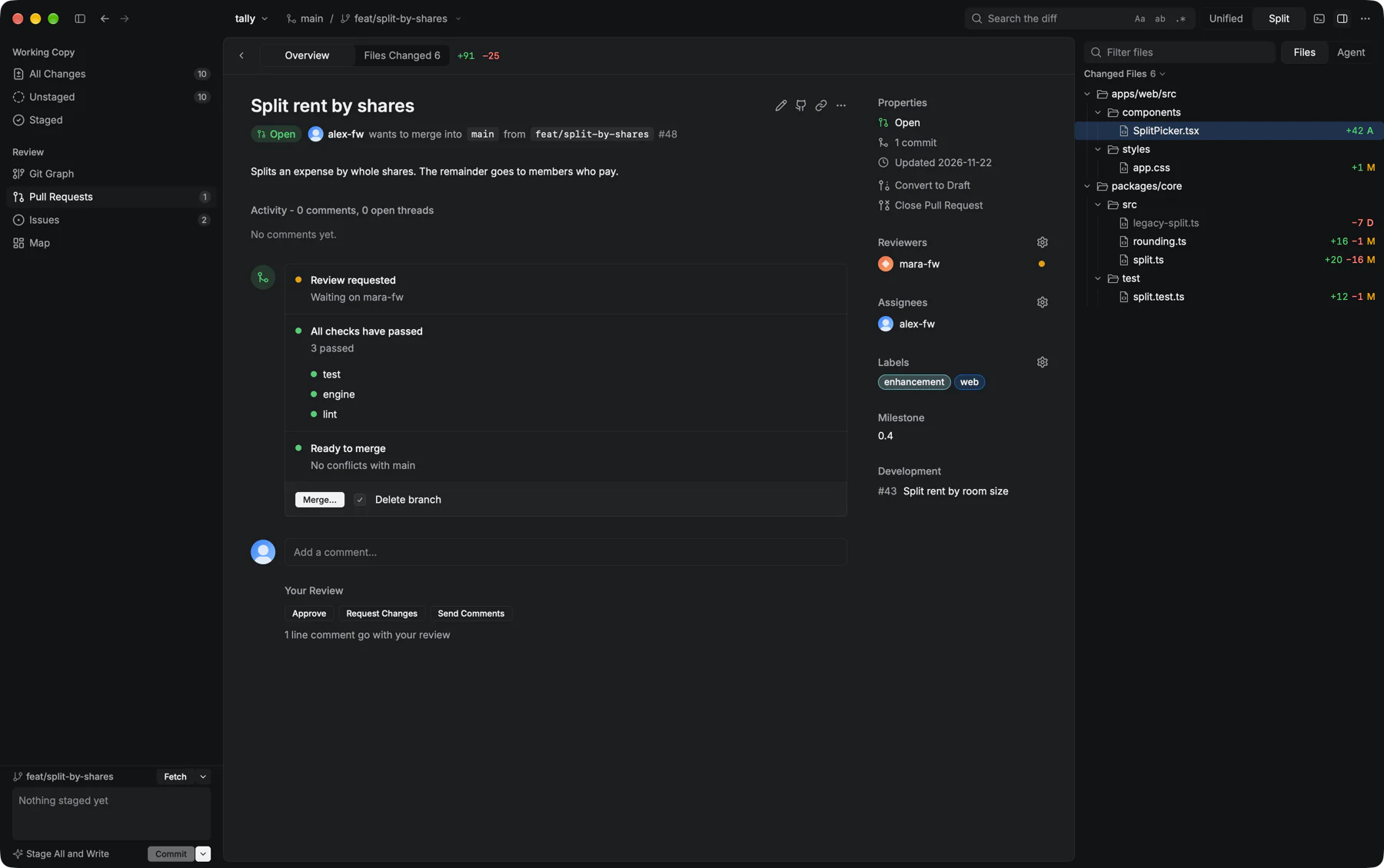
See checks, reviewers and labels, read the changed files, then approve, request changes or merge. Works with the GitHub CLI you already use.

A pull request open in Collate, showing passing checks, a reviewer, labels and Approve, Request Changes and Merge buttonsA pull request open in Collate, showing passing checks, a reviewer, labels and Approve, Request Changes and Merge buttons

Map

See where a change lands.

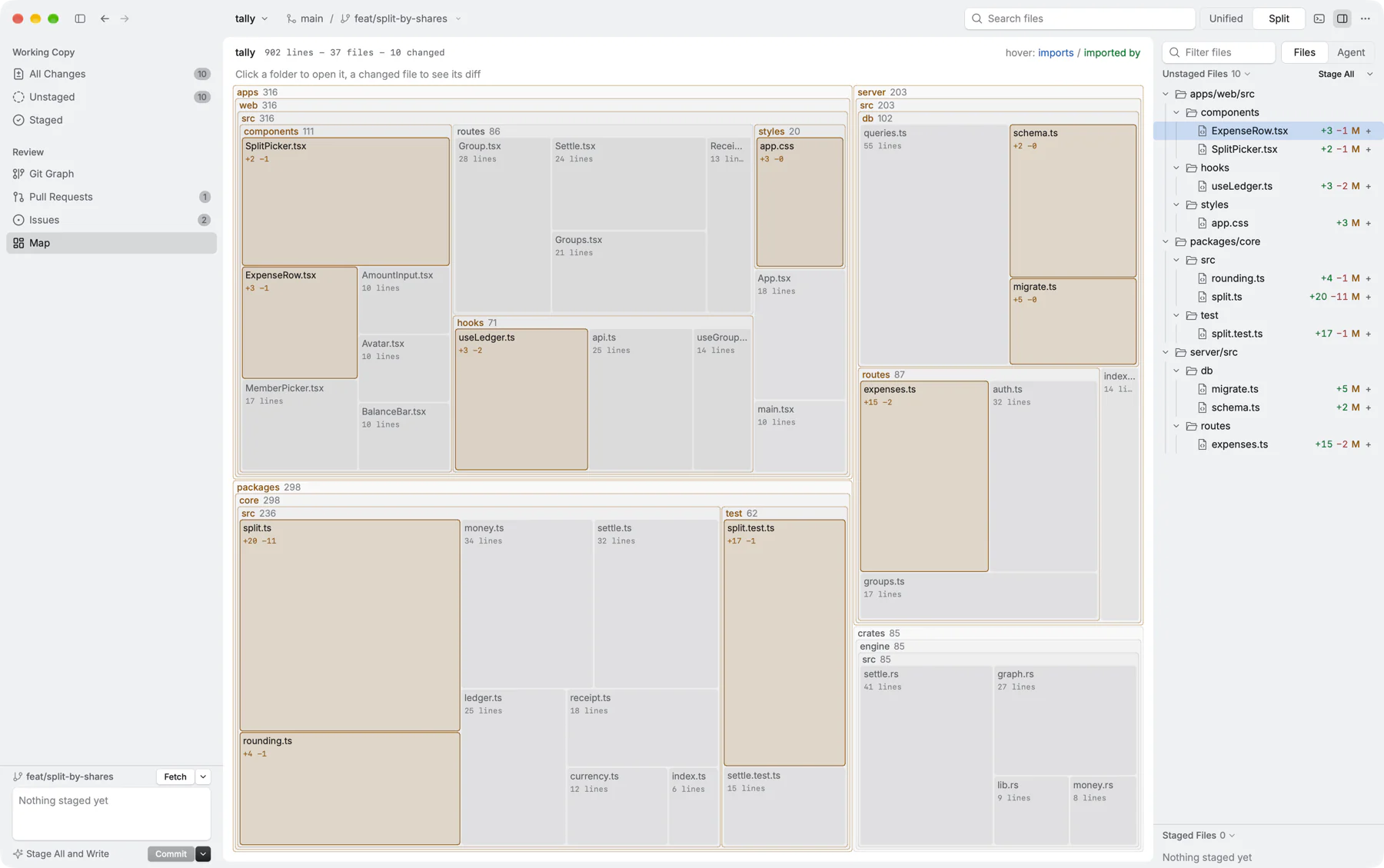
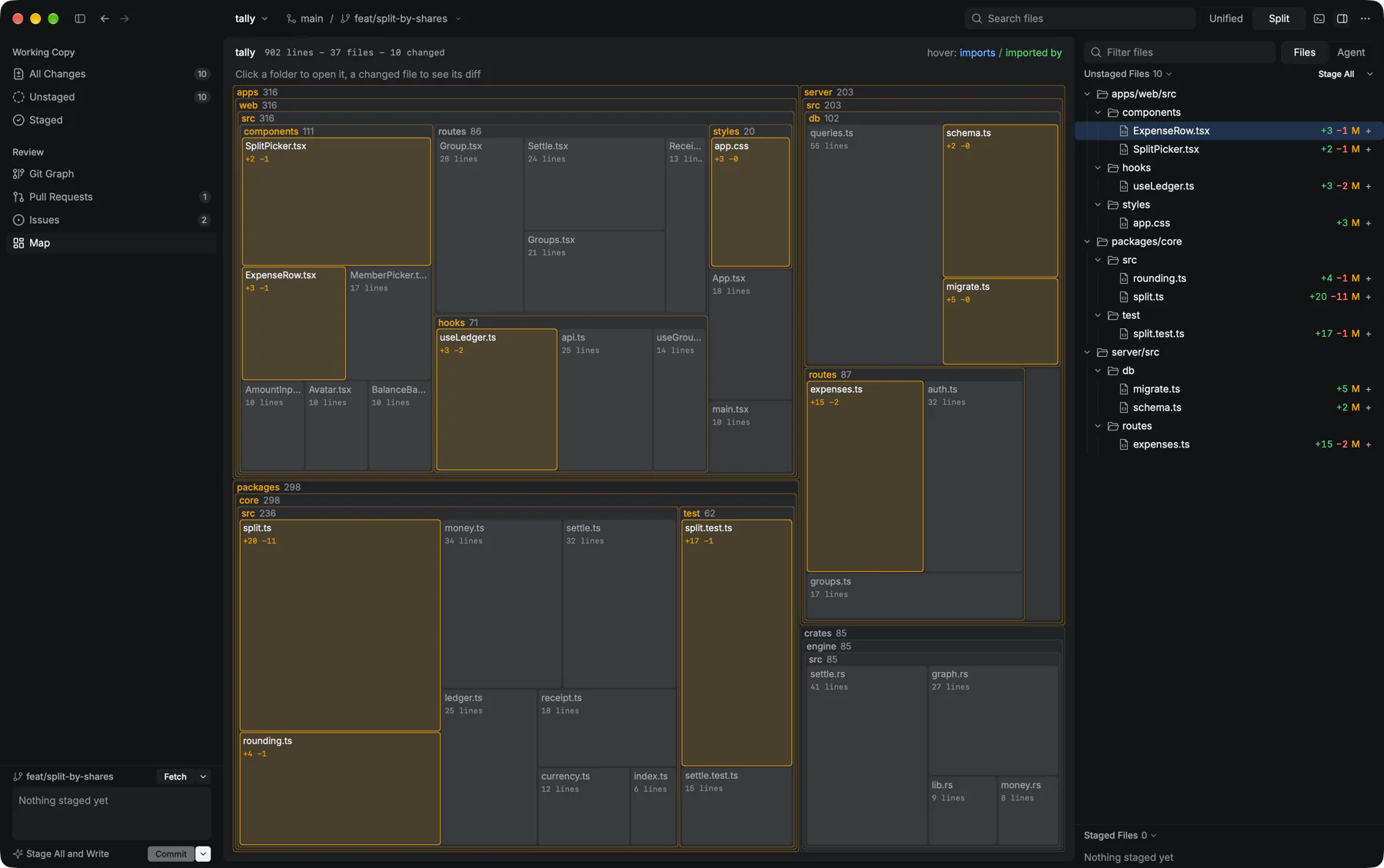
The whole repository as a map, every file sized by its lines and the changed ones lit. Hover a file to see what it imports and what imports it.

Collate's Map of a repository, with folders and files drawn as boxes sized by lines and the changed files highlightedCollate's Map of a repository, with folders and files drawn as boxes sized by lines and the changed files highlighted

Issues

Your issues, next to your code.

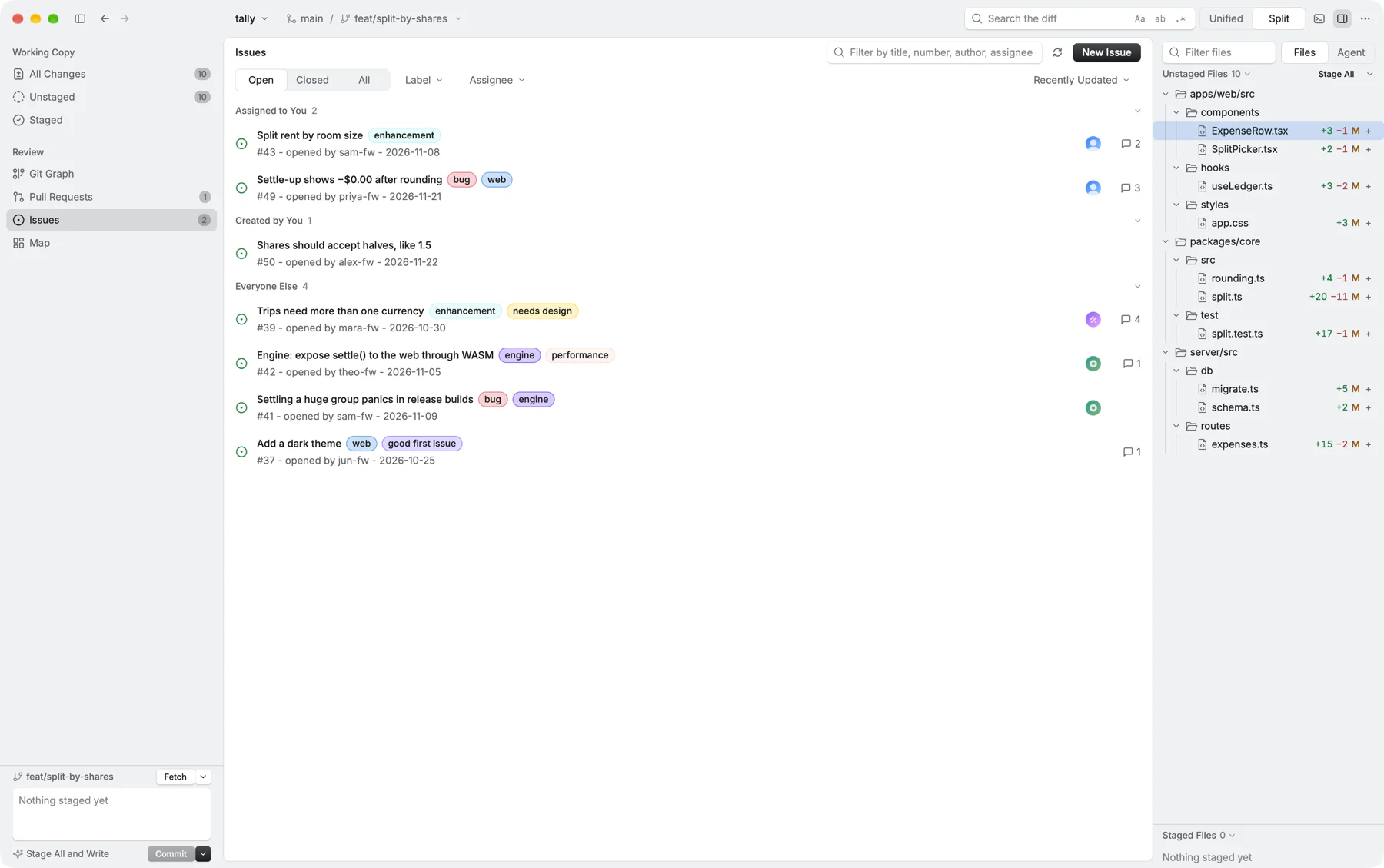
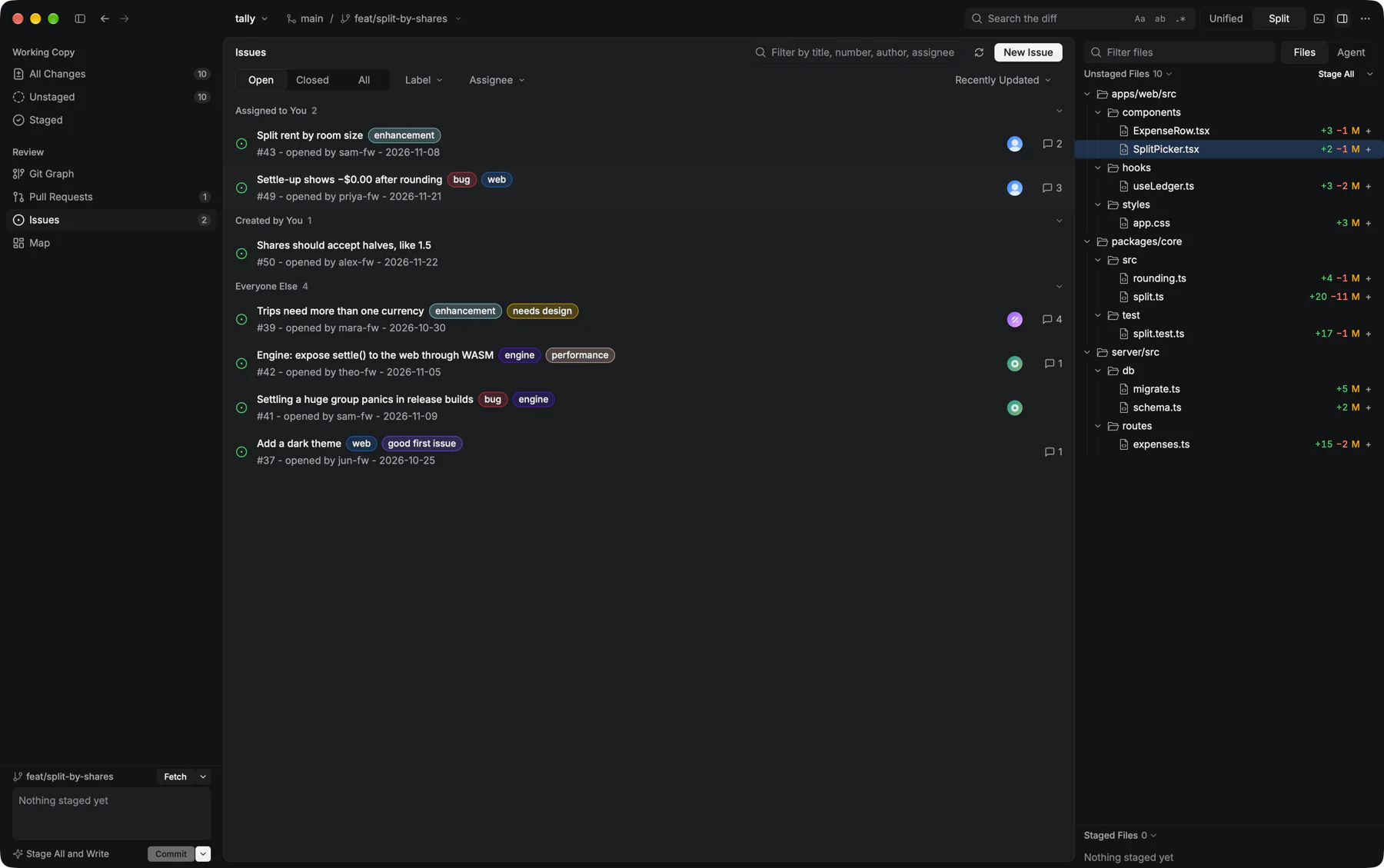
The issues assigned to you, the ones you opened and everyone else's, filtered by label or assignee. Open a new one without switching apps.

Collate's Issues view grouping open issues into assigned to you, created by you and everyone else, with labelsCollate's Issues view grouping open issues into assigned to you, created by you and everyone else, with labels

Open any change from the terminal.

Installing adds a collate command. It can also be your git difftool and mergetool.

  • This repositoryIts changes, refreshed as you edit.$ collate
  • A rangeA branch against another, or any commit.$ collate main..topic
  • HistoryThe commit graph, ready to browse.$ collate --history
  • Two foldersTwo files or two folders, compared.$ collate old/ new/
  • A patchFrom a file, or piped in.$ git diff | collate

Ready to try Collate?

Free, open source, and it updates itself. No account, no telemetry.

Download for macOS
$ brew install --cask dishant1804/tap/collate

Collate updates itself, so brew upgrade leaves it alone unless you add --greedy.

macOS 13 or newer